Mac at any scale
The valley of webhooks

DARE: Aligning LLM Agents with the R Statistical Ecosystem via Distribution-Aware Retrieval
A Formal Diagnostic Framework for Graph Repair Systems
Evaluating Uncertainty Calibration in Probabilistic Time Series Foundation Models
Scaling Makes It Possible: How Large Models Master Impossible Languages
Why Tabular Foundation Models Excel on Relational Data They Have Never Seen

Holo4: powering generalist computer-use agents

Microsoft is optimizing Windows for 8GB PCs, but it may be in vain
Five years ago, PCs with 8GB of RAM were seen as something to avoid. Today, Microsoft is saying that they’ll be part of our lives once again, and is making further moves to optimize Windows for the new reality.
But will others follow suit?
We’re in the throes of the RAMpocalypse and news continues to be grim. Last week, Intel predicted that its own CPU sales would drop by 10 percent in 2026, and chief executive Lip-Bu Tan said that the company “does not expect a sustained recovery until memory availability improves and pricing begins to normalize.”
Tan and other Intel executives declined to say when that will take place. But it could be years, which is why Microsoft is stepping in. In a blog post, Pavan Davuluri, the head of Microsoft’s Windows + Devices team, characterized the move as “making better use of the memory that’s there.”
In other words, simply making Windows feel quicker and more responsive based on more efficient use of the PC’s memory. Specifically, Microsoft is using more compression and better anticipating what you’ll want to click on to make your PC feel faster.
You’re already familiar with how this works, even if you haven’t thought about it. If you’re watching a football game, chances are you have a table of snacks nearby that you can grab whenever you’d like. If you want to refresh a drink or grab another bowl of dip, you have to walk to the kitchen. It’s obviously quicker to have everything you need close by. Likewise, your PC keeps what it needs immediately close by in RAM, and if it needs to, fetches additional data from storage like your SSD on demand.
Microsoft can’t increase the size of your 8GB RAM, represented by the size of the snack table. But what it can do is tightly organize or even compress what’s on it. Davuluri said that Microsoft is using compression to effectively increase the size of the local RAM by up to 2 GB. Through memory savings in Windows, Edge, and Microsoft 365, Microsoft said that they’re now able to cut the increase of actively used or committed memory by up to 900 MB.
Microsoft
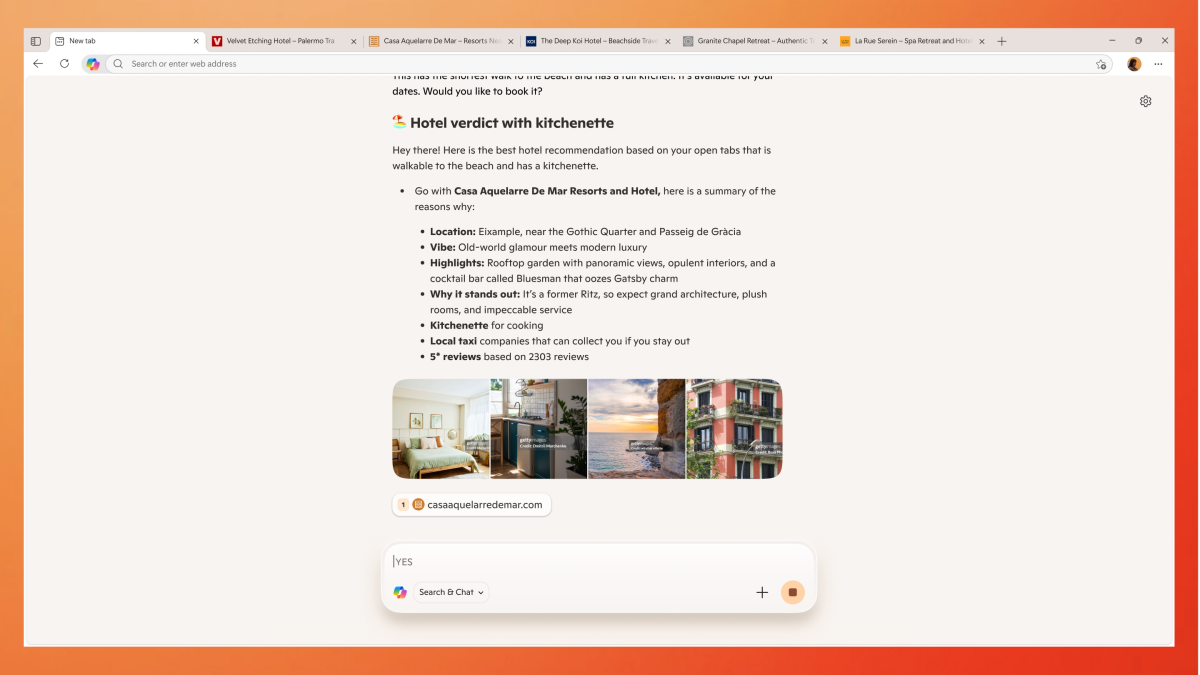
Microsoft’s other improvements essentially free up background tasks that Windows would normally be working on to better anticipate your needs. One reason that Microsoft wants you to use its Edge browser is that it can order Edge to always run in the background. That consumes memory, but it also means it can more quickly launch when you need it. But Microsoft is also putting tabs to sleep more quickly, so that just a static page remains and one that consumes less memory.
Finally, Microsoft is addressing where 8GB PCs feel so painful: actually doing work on them and moving back and forth between apps. Microsoft said it tested a scenario where engineers opened 20 Edge tabs, then a 4K video, then Word, PowerPoint, and Excel files, plus Outlook and File Explorer. Microsoft said the experience completed “40 percent faster than with the January 2026 builds.”
Of course, we don’t know how fast and how painful that was to complete. However, if Microsoft is dedicating the time and resources to tighten up the efficiency of Windows on 8GB PCs (which, honestly, should have been done years ago), it’s a signal that this is the new reality.
Microsoft can’t go it alone
The trouble, however, is that other software developers aren’t necessarily following suit. I reviewed the Acer Swift Air 14 with 8GB of RAM, and we’ve reviewed laptops like the Chuwi Unibook with similar configurations. In my experience, some apps simply won’t run because they themselves gobble up a minimum of 8GB RAM. And with others, there’s a major gulf between simply allowing the app to run (the “minimum” configuration) and being able to do anything effectively without “recommended” specs.
There’s been a bit of movement from browsers like Firefox, which now tries to minimize CPU and memory usage when displaying pages with large images. Opera GX includes a RAM limiter. But others, like Google Chrome, just haven’t quite gotten there yet.
“There is functionally no desire from the Chrome project to compromise on site isolation or security to save on memory,” one developer wrote in August, adding that Google is “experimenting” with background tab freezing. “If anything, we consider improved security to be one of the strongest justifications for increased memory usage.”
Freeing up some additional memory within Windows to allow basic Windows services and apps to run is one thing. But the PC industry as a whole is going to have to come together to optimize for a world in which RAM is at a premium. Instead, the opposite seems true—apps seem to be cramming all sorts of AI-generated “improvements” into them, hogging even more RAM as a result.
That’s the wrong direction, and Microsoft’s efforts will be in vain if other developers don’t make the same commitment.

Best VPN deals: Protect your privacy for the lowest prices
Whether you’re looking for something that will give you the privacy you need or access to location-restricted streaming content, we’ve got you covered with the very best VPN deals currently available. But not all deals are worth it, so we only highlight those offered by reputable providers that we’ve personally reviewed and recommend.
We’ve also included some helpful answers to common questions about VPN shopping at the bottom of this article. Before you decide on a new VPN, be sure to check out our roundup of the best VPNs to help you choose the right service for your needs.
Note: Tech deals come and go quickly, so it’s possible some of these VPN discounts will have expired before this article’s next update.
Updated November 3, 2026 with the latest VPN deals and pricing.
Best VPN deals
- NordVPN, now $3.49 per month for 24 months + 3 free months (69% off at NordVPN)
- ExpressVPN, now $2.99 per month for 24 months + 4 free months (80% off at ExpressVPN)
- Surfshark VPN, now $2.49 per month for 24 months + 3 free months (88% off at Surfshark)
- Proton VPN, now $2.49 per month for 24 months (70% off at Proton VPN)
- IPVanish VPN, now $2.19 per month for 24 months (85% off at IPVanish)
- CyberGhost, now $2.19 per month for 24 months + 2 free months (83% off on CyberGhost)
- Norton VPN, now $3.33 per month for 12 months (50% off on Norton)
- Private Internet Access, now $2.03 per month for 36 months + 3 free months (83% off at PIA)
- PrivadoVPN, now $1.48 per month for 24 months + 3 free months (87% off at Privado VPN)
Our Editors’ Choice and top overall VPN pick, NordVPN, is currently offering a good deal on its long-term 2-year plan for only $3.49 per month (69 percent off) and you get an extra three free months upon sign-up. Not only is Nord the most feature-rich VPN on the market, but it’s also the fastest we’ve ever tested. If you can swing it, upgrading to the Complete tier for $4.49 per month instead gives you a lot more for your money such as anti-malware, ad & tracker-blocking, scam protection, identity fraud monitoring, a password manager, and 1TB of cloud storage.
ExpressVPN is also offering a great deal right now on all of its plans. While the Basic tier for $2.99 per month is the cheapest and gives you access to the outstanding VPN, I personally think the Advanced plan with ExpressVPN provides the better value. For just $1.50 more per month ($4.49 per month) you get access to so much more: ad- and tracker-blocking, a password manager, Identity Defender services, and extra device connections, among other things.
Finally, Surfshark VPN is our favorite cheap VPN and right now you can take advantage of extra savings by opting for its long-term Black Friday deal on its Surfshark One plan. This is easily the best bargain because it not only gives you the VPN and Alternative ID features, but also Scam protection, Antivirus, and personal identity leak alerts. Currently the special offer knocks it down to one of its cheapest ever at just $2.49 per month, and you’ll receive three extra months at sign-up.
FAQ
What is the best VPN deal?
Right now, the 2-year plan for NordVPN‘s Complete tier is the best deal. For only $4.49 per month you’ll get access to the best VPN with the fastest speeds, excellent streaming compatibility, and top-notch privacy and security features. Included with this Plus tier are advanced protections such as a password manager and threat protection, plus 1TB of cloud storage.
When’s the best time to shop for a VPN?
Typically you’ll want to time your VPN shopping around a prominent sales period. The biggest sales periods are Black Friday/Cyber Monday in late November . The best sales often occur leading up to and during these two events and they are great times to snag a VPN subscription for cheap. Many VPN providers have even begun extending these deals past Cyber Monday and through to the end of the year.
What should I look for in a VPN deal?
There are a few things you should keep in mind when shopping for a good VPN deal.
The first thing to consider is, of course, your budget. How much are you willing to spend each month? How much can you afford to drop on a longer-term plan with an upfront payment?
AI Is Making The App Optional
WhatsApp Business Automation for SMEs: 7 Workflows Worth Building
WhatsApp automation is useful when the trigger is clear, the message is predictable, and the system already knows the data needed to respond.
The mistake is trying to automate judgment.
For SMEs, I would start with repetitive workflows that staff already perform manually every day and build a clean human handoff for anything unusual.
- Instant Lead Reply
A new lead sends a WhatsApp message.
That is the trigger.
The first automated response should do very little:
acknowledge the enquiry
set an expectation
collect one or two useful details
For example:
Thanks for contacting us.
What service are you looking for?
- Implementation
- Support
- Consultation
The value is not the message itself.
The value is that every enquiry receives a consistent first response without someone constantly watching the inbox.
Human handoff
Move to a person when the lead starts discussing:
pricing
requirements
objections
custom scope
deadlines
Do not turn the first reply into a ten-step bot conversation.
- Quote Request Capture
Quote requests are usually structured enough to automate partially.
The trigger might be a message containing "quote", a menu selection, or a CRM event.
The workflow can collect:
Company:
Service:
Quantity:
Location:
Required date:
Notes:
Then push the request into the system that actually owns the sales process.
That last part matters.
If somebody still has to copy the data manually from WhatsApp into a spreadsheet or CRM, you have automated the conversation but not the workflow.
Human handoff
A person should review the request before:
final pricing
discounts
non-standard scope
negotiation
contractual commitments
Automate data capture.
Keep commercial judgment human.
- Order Status Updates
This is one of the safest workflows because the event already exists somewhere else.
The trigger should come from the order system.
Example flow:
order.confirmed
|
v
WhatsApp confirmation
order.dispatched
|
v
WhatsApp dispatch update
order.delivered
|
v
WhatsApp completion message
The important rule is:
WhatsApp should report status.
It should not become the source of status.
Use the ERP, e-commerce system, or order platform as the source of truth.
Human handoff
Escalate when the status is not normal:
delivery lost
repeated delay
incorrect item
cancellation
refund request
A status update is automatable.
A broken order is not.
- Appointment Reminders
Appointment reminders are not exciting, but they are excellent automation candidates.
The trigger can come from the booking system.
Typical sequence:
booking.created -> confirmation
24h before -> reminder
2h before -> final reminder
booking.changed -> updated time
The message should contain only what is useful:
date
time
location or meeting link
basic rescheduling instruction
The bigger improvement happens when the workflow updates both directions.
If the customer reschedules, the booking system should change too.
Otherwise someone still has to reconcile WhatsApp manually.
Human handoff
Use a person for:
urgent changes
exceptions
special requirements
double-booking
unusual scheduling requests
- Payment Reminders
This workflow needs more controls.
The trigger should come from actual invoice state.
Not from a manually maintained list.
A simple event model might look like:
invoice.due_soon -> reminder
invoice.due -> payment due message
invoice.overdue -> follow-up
invoice.paid -> stop workflow
The invoice.paid event is critical.
Without a stop condition, the automation becomes embarrassing very quickly.
Human handoff
Escalate when there is:
a dispute
a payment plan
a strategic account
repeated non-payment
an unusual explanation
Payment reminders are transactional.
Payment problems are relational.
- Feedback Requests
Feedback is another workflow that works well when tied to a completion event.
The trigger might be:
order.delivered
appointment.completed
ticket.closed
service.completed
The first message can be simple:
Did everything go well?
- Yes
- No
From there:
Yes -> optional review flow
No -> create human follow-up task
This is where the handoff design matters more than the automation itself.
A bad experience followed by an automated apology loop is worse than no automation.
Human handoff
Any negative response should create real action.
Not another bot response.
- Internal Alerts
Not every WhatsApp automation needs to message a customer.
Internal alerts can be extremely useful.
Possible triggers:
high_value_lead.created
order.delayed
invoice.overdue
negative_feedback.received
approval.waiting
integration.failed
Then send a short internal message to the right owner.
For example:
ALERT: Order #4582 delayed
Customer: Acme Ltd
Delay: 2 days
Owner: Operations
Action required: Yes
This is often more useful than another dashboard that nobody checks.
Human handoff
The alert itself is the handoff.
Automation detects the event.
A person decides what to do.
Typical Automation Fit
Typical / indicative
Lead Reply █████████░ High
Quote Capture ████████░░ High
Order Status ██████████ Very High
Appointments ██████████ Very High
Payments ████████░░ High
Feedback █████████░ High
Internal Alerts █████████░ High
My rough read: the clearer the event source and response logic, the safer the workflow is to automate.
Practical Implementation Checklist
Before building any WhatsApp automation, I would check:
[ ] What event triggers the workflow?
[ ] Which system owns the source data?
[ ] What message should be sent?
[ ] What stops the workflow?
[ ] Can the same event fire twice?
[ ] Is retry logic safe?
[ ] What happens if the API fails?
[ ] When does a person take over?
[ ] Is the customer opted in?
[ ] Is the message type permitted?
[ ] Are logs available for debugging?
A lot of automation failures come from ignoring the boring parts.
Duplicate events.
Missing stop conditions.
Out-of-sync data.
Retries that send the same message twice.
No audit trail.
No escalation path.
The customer sees one WhatsApp message.
The backend should still behave like production software.
API vs. Free App
For small teams, the free WhatsApp Business app may be enough for manual messaging, labels, and basic automated replies.
Once you need software-driven workflows, the architecture changes.
The WhatsApp Business Platform is the relevant option when you need things like:
CRM integration
Software Hosting Strategy: Checklist for Teams
Meta title: CI/CD Pipeline Design Improvement Roadmap
Meta description: Follow a practical CI/CD pipeline design improvement roadmap to identify bottlenecks, optimize workflows, strengthen security, and improve delivery performance.
A CI/CD pipeline improvement roadmap helps engineering teams make software delivery faster, more reliable, and more secure without adding unnecessary complexity. The most effective approach is to measure the current pipeline, identify the biggest bottlenecks, prioritize changes by impact, and validate each improvement against delivery performance and cost.
The goal is not simply to reduce pipeline runtime. A pipeline that finishes faster but misses tests, produces inconsistent builds, or makes deployments riskier is not an improvement.
Research supports this broader view. Google’s 2025 DORA report drew on more than 100 hours of qualitative research and survey responses from nearly 5,000 technology professionals. Its findings emphasized that AI amplifies existing organizational strengths and weaknesses, while increased AI adoption remained associated with delivery-stability challenges. For CI/CD teams, the practical lesson is clear: automation and speed deliver more value when supported by strong testing, reliable workflows, and effective controls.
This guide outlines a practical CI/CD pipeline design improvement roadmap, including assessment steps, optimization priorities, examples, and metrics teams can use to measure progress.
1. What Is a CI/CD Pipeline Improvement Roadmap?
A CI/CD pipeline improvement roadmap is a prioritized plan for evaluating and improving the automated processes used to build, test, secure, package, and deploy software.
Continuous integration (CI) automates activities such as building code and testing changes as developers integrate them.
Continuous delivery (CD) keeps validated software ready for release, typically with controlled production deployment.
Continuous deployment takes the process further by automatically releasing qualifying changes to production.
A roadmap connects these activities to measurable outcomes: shorter feedback loops, fewer avoidable failures, more predictable releases, improved security, and controlled infrastructure costs.
The right sequence depends on the team’s current maturity. A team struggling with flaky tests should address test reliability before investing heavily in parallel execution. A team with stable tests but long runner queues may benefit more from capacity planning and job scheduling.
2. CI/CD Pipeline Design Improvement Roadmap: Six Steps
2.1 Establish a baseline before changing the pipeline
Start by examining recent pipeline runs rather than relying on one unusually fast or slow execution.
Collect data on:
- Median and 90th-percentile pipeline duration.
- Time spent waiting for runners versus executing jobs.
- Build, test, and deployment failure rates.
- Frequency of reruns without code changes.
- Infrastructure and CI/CD platform costs.
- Time from code commit to a usable test result or production release.
GitLab’s pipeline-efficiency documentation identifies job duration, stage dependencies, runner capacity, dependency installation, image size, and flaky tests as factors that can affect performance. docs.aws.amazon
Practical output: A baseline report identifying the three biggest sources of delay or instability.
For example, a 25-minute pipeline might spend 12 minutes installing dependencies, eight minutes running tests sequentially, and five minutes waiting for runners. Each problem requires a different intervention, so the breakdown matters more than the total alone.
2.2 Map the pipeline and identify its critical path
Document the path from a code change to a successful release. Include triggers, jobs, dependencies, artifacts, security checks, approval gates, deployment environments, and rollback procedures.
A typical workflow looks like this:
- Code commit or pull request
- Linting, static checks, and build
- Automated tests and security scans
- Package and publish versioned artifact
- Deploy to staging and verify
- Production release, monitoring, and rollback readiness
This is an illustrative workflow; the exact stages and approval requirements depend on the application and its risk.
Look for jobs that block other jobs unnecessarily, expensive work repeated across stages, and checks that report failures too late. GitLab supports dependency-based scheduling with needs, allowing eligible jobs to start when their actual dependencies finish rather than waiting for an entire stage. docs.aws.amazon
The key question is: Which step determines the earliest point at which the pipeline can deliver a trustworthy result? Improve that critical path first.
2.3 Prioritize high-impact CI/CD pipeline optimization
Once the bottlenecks are understood, choose targeted changes. Avoid redesigning the entire pipeline at once.
| Problem | Improvement | Important safeguard |
|---|---|---|
| Repeated dependency downloads | Cache dependencies and reusable build inputs | Validate cache keys and treat restored content carefully |
| Long sequential test stages | Run independent tests in parallel | Confirm that resource contention does not erase the benefit |
| Slow job startup | Use appropriately sized runners and lean build images | Monitor cost and queue time |
| Feedback arrives too late | Run fast, high-signal checks earlier | Retain required test coverage |
| Flaky tests cause reruns | Investigate test isolation, timing, and dependencies | Track quarantined tests and set a plan to restore them |
| Unnecessary jobs run on every change | Use path-based rules or conditional execution | Verify that shared-code changes still trigger relevant checks |
| Build output differs between environments | Build once and promote the same versioned artifact | Preserve provenance and verify artifact integrity |
GitHub’s documentation distinguishes caching reusable dependencies from storing workflow artifacts. It also warns that caches are not inherently verified and should never contain secrets. docs.aws.amazon
The improvement principle is simple: remove repeated work, shorten unnecessary waits, and make failures easier to diagnose without weakening controls.
2.4 Build security and release reliability into the design
Security should be part of the pipeline rather than a final check performed just before release.
The NIST Secure Software Development Framework (SSDF) recommends integrating secure development practices into the software development lifecycle. Its guidance covers protecting software from unauthorized changes, producing secure releases, and responding to vulnerabilities.
Try Excelize, Our Open-source Library for Spreadsheet (Excel) Documents
Excelize is a library written in pure Go providing a set of functions that allow you to write to and read from XLAM / XLSM / XLSX / XLTM / XLTX files. It supports reading and writing spreadsheet documents generated by Microsoft Excel™ 2007 and later. It also supports complex components by high compatibility, and provides streaming API for generating or reading data from a worksheet with huge amounts of data.
GitHub: github.com/xuri/excelize
We are pleased to announce the release of version 2.11.1. Featured are a handful of new areas of functionality and numerous bug fixes.
A summary of changes is available in the Release Notes. A full list of changes is available in the changelog.
Release Notes
The most notable changes in this release are:
Breaking Change
- Upgraded requirement: Go language version is Go 1.26.0 or later, due to upgrading dependency package
golang.org/x/crypto
Security
- Fixed a panic when getting a cell value with a negative shared string index (CVE-2026-104819), related security advisory GHSA-48hm-4h8j-58fg
- Fixed a
GetPivotTablespanic on invalid pivot table field indices (CVE-2026-107211), related security advisory GHSA-mx22-3794-2vpv - Fixed an unbounded row number in the rows iterator (CVE-2026-107212), related security advisory GHSA-jw42-f3rr-4cc3
- Fixed a
GetSlicerspanic when getting slicers from a worksheet without a drawing part (CVE-2026-107213), related security advisory GHSA-r7x5-4969-99p7 - Fixed a panic when decrypting a malformed workbook (CVE-2026-107214), related security advisory GHSA-2j4c-ffch-9f23
- Fixed unbounded
EncryptionInfoandEncryptedPackagestream sizes being allocated when decrypting a workbook (CVE-2026-107215), related security advisory GHSA-x2q3-8cjh-766f - Fixed a
CalcCellValuestack overflow caused by circular ANCHORARRAY formula references (CVE-2026-107216), related security advisory GHSA-wp2g-vpjj-g53r - Fixed
ColumnNameToNumberandJoinCellNameaccepting invalid column names, which caused integer overflow (CVE-2026-107217), related security advisory GHSA-c85p-xxjj-2r75 - Fixed Unicode handling and count overflow in the LEFT, LEFTB, RIGHT, and RIGHTB formula functions (CVE-2026-107218), related security advisory GHSA-8jjq-8j9w-m2v6
- Fixed an unbounded spin count when deriving the agile decryption key (CVE-2026-107219), related security advisory GHSA-jrfj-fhj2-jjvm
- Fixed a panic on a worksheet with an empty merged cell reference (CVE-2026-107220), related security advisory GHSA-g27h-8qhm-6pff
- Fixed a panic on a row whose cells are not in ascending column order (CVE-2026-107221), related security advisory GHSA-8mcq-6wmr-jrjv
- Fixed a
GetConditionalFormatspanic on malformed conditional formatting rules (CVE-2026-107222), related security advisory GHSA-rxcj-4pj5-74gr - Fixed an overflow of the minimum and maximum column numbers (CVE-2026-107223), related security advisory GHSA-fq3v-74gv-27gm
- Fixed a panic by rejecting Zip64 uncompressed sizes that do not fit in a signed int64 (CVE-2026-107224), related security advisory GHSA-fw94-4wwp-w8pw
- Fixed a panic when getting styles with a negative style index (CVE-2026-107225), related security advisory GHSA-5h23-36rv-pm65
Notable Features
- Added new
EmbeddedObjectdata type - Added 2 new constants,
MaxCFBStreamSizeV3andMaxCFBStreamSizeV4 - Added new function
GetShapesto support get shape, related issue 436 - Added new functions
GetEmbeddedObjectsandSetGetEmbeddedObjectto support get and set embedded objects, related issues 158 and 2186 - The
CalcCellValuefunction now supports matrix arguments in the AND formula function - The
SetConditionalFormatfunction now validates the style index, related issue 2400
Compatibility Improvements
- Aligned the numeric precision of values stored by the
SetCellValuefunction with Microsoft Excel™, related issue 1757
Bug Fixes
- Fixed the
GetPicturesfunction not returning the edit positioning in some cases, resolved issue 2217 - Fixed the
CalcCellValuefunction returning incorrect results when error values appear inside parentheses or operators, resolved issues 1164 and 2344 - Fixed the
CalcCellValuefunction not returning the expected error in some cases, resolved issues #2349 and #2432 - Fixed the
CalcCellValuefunction returning incorrect results for 16 formula functions: COUNT, COUNTA, EDATE, HLOOKUP, IF, INDIRECT, ISNUMBER, MDETERM, MINVERSE, OR, SUM, TRIM, VALUE, VLOOKUP, WEEKDAY and XLOOKUP, resolved issues #2411, #2412, #2413, #2414, #2415, #2416, #2417, #2430, #2436, #2439, and #2445 - Fixed a
CalcCellValuepanic on unbalanced closing parentheses in a formula, resolved issue 2409 - Fixed a
CalcCellValuepanic when calculating the AVERAGEIFS, COUNTIFS, MAXIFS, MINIFS, PERCENTILE.EXC and SUMIFS formula functions with invalid arguments, resolved issue 2426 - Fixed the
AddChartandAddChartSheetfunctions generating invalid charts that corrupted the workbook in some cases, resolved issues #2355 and #2356 - Fixed stream writer not applying number formatting to duration cell values, resolved issue 2371
- Fixed precision loss when setting cell values with
time.Duration, resolved issue 2372 - Fixed the
AddSlicerfunction reusing the pivot table slicer cache for different fields, resolved issue 2383 - Fixed the
GetStylefunction returning an invalid style for fills without a pattern, resolved issue 2384 - Fixed the
GetFormControlsandGetTablesfunctions being unable to get form controls and tables when the workbook uses absolute paths, resolved issue 2386 - Fixed the
GetPanesfunction being unable to get split panes in some cases, resolved issue 2387 - Fixed the
SetCalcPropsfunction being unable to set calculation properties to false, resolved issue 2404 - Fixed the
ExcelDateToTimefunction returns dates one day early for January and February 1900, resolved issue 2466
Miscellaneous
- Updated the documentation website, which is available in 12 languages: Arabic, German, English, Spanish, French, Italian, Japanese, Korean, Portuguese, Russian, Simplified Chinese and Traditional Chinese
- Released an updated excelize-wasm NPM package for WebAssembly / JavaScript support
- Released an updated excelize-py PyPI package for Python
- Released an updated ExcelizeCs NuGet package for C# / .NET
Thank you
Thanks to all the contributors to Excelize. Below is a list of contributors who made code contributions in this version:
- Aprax14 (Damiano Scarpellini)
- xixixi1118
- zhouxuanyu1204-bot (ZHOU XUANYU)
- lzoeydzdnn
- arpitjain099 (

AI Agents Pick the Wrong Tool More Often as You Add Tools, and Research Shows Why
An AI agent does not run its tools by itself. It reads a list of tool definitions, picks one, and fills in the arguments. Your code then makes the call. When the list holds five tools, that choice is easy. When it holds sixty, from four connected servers, the model picks the wrong tool more often. The wrong tool usually returns a normal, successful response.
Research from the last three years explains why. Long prompts are read unevenly, similar tools are hard to tell apart, and selection accuracy falls as the list grows. This article summarises that evidence and the habits teams use to keep the tool list short.
A tool list is part of the prompt.
A tool definition has three parts: a name, a description, and a schema for its arguments. The model never sees your tool's code. It sees only that text, inside its context window, beside the system prompt and the conversation. OpenAI's function-calling guide tells developers to "explicitly describe the purpose of the function and each parameter", because the description is the only information the model has about the tool.
That text has a cost. In a November 2025 engineering post, Anthropic describes a setup with five connected MCP servers. MCP, the Model Context Protocol, is a standard way to plug a server full of tools into an agent. The five servers exposed "58 tools consuming approximately 55K tokens before the conversation even starts." In a separate case, Anthropic reports that its own internal tool definitions once reached 134,000 tokens before optimisation.
The same post names the failure this article is about. Anthropic writes that "the most common failures are wrong tool selection and incorrect parameters". A wrong choice is easy to miss. If an agent calls search_orders when it needed search_invoices, the call still succeeds and still returns data. The model then writes a confident answer from the wrong data.
Long prompts are read unevenly.
The first reason applies to any long input, not only to tools. Language models do not read a long input with equal care from start to end.
In "Lost in the Middle", published in the Transactions of the Association for Computational Linguistics, Nelson Liu and colleagues at Stanford hid one relevant document among many others. Accuracy was highest when the relevant document came first or last. It dropped when the document sat in the middle, even for models built for long contexts.
A 2025 report from the vector database company Chroma, "Context Rot", tested 18 models on simple tasks, such as finding one fact in a long text, while adding more input. The authors found that models "do not use their context uniformly" and that performance "grows increasingly unreliable as input length grows."
A tool list is exactly this kind of input. Sixty definitions are sixty short documents, and the one the model needs may sit in the middle of them.
Selection accuracy falls as the list grows.
Two studies measured the effect of tool count directly.
RAG-MCP, a May 2025 preprint by Tiantian Gan and Qiyao Sun, gave a model a large pool of MCP tools and asked it to pick the right one. With every tool definition in the prompt, the model chose correctly 13.62% of the time. The authors then added a retrieval step. A search over the tool descriptions picked a few likely candidates, and only those reached the model. Accuracy rose to 43.13%, more than three times higher, and the prompt shrank by over half. The paper is a preprint and has not been peer-reviewed, so the exact numbers should be read with care.
"Less is More", a paper by Varatheepan Paramanayakam and colleagues accepted at the DATE 2025 conference, studied small models running on edge hardware. The authors report that "selectively reducing the number of tools available to LLMs significantly improves their function-calling performance." Execution time also fell by up to 70%, because the model had less text to process.
Similar tools are the hardest case.
Overlap between tools is a second problem, separate from their number.
The MetaTool benchmark, presented at ICLR 2024 by Yue Huang and colleagues, tested whether models could decide when to use a tool and which one to pick. One of its tasks offers tools chosen to be similar to each other. Across eight popular models, the authors found that "the majority of them still struggle to effectively select tools."
Anthropic's guide to writing tools for agents describes MetaTool's finding as it appears in production agents. It warns that "too many tools or overlapping tools can also distract agents", and that when tools "overlap in function or have a vague purpose, agents can get confused about which ones to use." The guide recommends grouping related tools under a shared prefix, such as asana_search and jira_search, so the name itself says which system a tool belongs to.
Overlap grows fastest when teams connect third-party servers, because each server is written by a different team that never saw the other tool names. Two servers can each provide a tool called search, and the model has to decide between them from their descriptions alone.
Every description is an instruction.
Because the model treats a tool description as text to follow, a description can also carry an attacker's instructions.
In April 2025, the security firm Invariant Labs described a tool poisoning attack on MCP. A tool's description held hidden instructions that are "invisible to users but visible to AI models". In their demonstration, those instructions told the agent to read private files and send them elsewhere.
So each added tool brings more text for the model to weigh, and that text may come from a source you do not control. A shorter list means less of both.
Single calls work; long sequences remain hard.
The best-known public benchmark for tool use is the Berkeley Function Calling Leaderboard, presented at ICML 2025 by Shishir Patil, Ion Stoica, Joseph Gonzalez and colleagues at UC Berkeley. The leaderboard tests whether a model calls the right function with the right arguments, and whether it declines to call one when no tool fits.
The authors report that "state-of-the-art LLMs excel at single-turn calls", where the model answers one request with one call. They also report that "memory, dynamic decision-making, and long-horizon reasoning remain open challenges." A real agent makes many choices in a row, and each choice is made from the full list again. One wrong pick early in the run can affect every step after it.
What the model providers now recommend.
The model providers now give the same advice as the papers.

Deals: Pixel 11 up to $580 off, Google Home Speaker all-time low, Dell XPS 13 $200 off, new Fire TV Stick 58% off, more
Alongside the Pixel 11 Pro, Pixel 11 Pro XL, and Pixel 11 Pro Fold. Best Buy is now offering massive Pixel 11 series price drops at up to $580 off (“excellent” open-box). From there we move over to a host of early Black Friday Fire TV Stick deals now live from $20, Dell’s latest XPS 13 MacBook Neo alternative at $600, and a collection of early Black Friday Amazon lows on Nothing gear from just $20. Scope it all out below.
more…
I reviewed the new iPad mini: It’s the best Apple tablet, with a price to match
At a glance:
Key specs: 8.5-inch OLED display, A20 Pro chip, and just 5.4mm thin
What we loved: Incredible, lightweight design, strong performance, and a beautiful display
What we didn't love: The $699 starting price
The new iPad Mini is here — I'm looking right at its super-bright OLED display as I type this review — and it's beautiful. The lightest Apple tablet ever made, the iPad Mini has the same powerhouse A20 Pro chip as the iPhone 18 Pro Max, and even though it may not be the ideal device for intensive work, it can still support local AI workloads, not to mention the new Siri AI.
But why oh why does everything have to be so damn expensive in 2026? That's not a serious question — we know exactly who's hogging all the RAM, and putting Apple under pressure from memory makers. But for folks like me who have to count every dollar, the starting $699 price does hurt.
So, as much as I loved using the new iPad Mini (it really is a lot of fun), I'm not quite sure who to recommend this device to, unless you're in the top income tax bracket.
iPad Mini review: Who is it for?

Let's cut to the chase: The iPad Mini is now my favorite tablet in the Apple lineup. It has an incredible display, excellent design, and strong performance. However, I'm not quite sure who should buy it.
I'm not the only reviewer who's a little confused by Apple's product lineup in 2026. At first, I thought the iPad Mini was the MacBook Neo of the iPad family. It's the smaller, less powerful model for everyday use. That makes intuitive sense, but it's also wrong.
The iPad Mini offers better performance in many respects than the iPad Air and a far superior display. And while the MacBook Neo is a budget laptop, the iPad Mini is definitely not a budget device. Its starting price is only $50 less than the iPad Air.
A slightly cheaper iPad Mini priced around $499 or $599 would make a lot more sense to me, and be much easier to recommend.
After testing the device, I can heartily recommend the iPad Mini to one-percenters looking for the best iPad for everyday use. But you can also get Amazon's new Alexa Pro tablets, and plenty of other good tablets, for well under $500, and most people will be perfectly fine without an OLED display or a chip that supports local AI models.
Given all that, I'm just not sure I'd pay $699 for the iPad Mini. Plus, the model I tested, which came with 512GB, the Nano-texture display, and the C2 cellular chip, would have set me back $1,249, almost twice as much — and that's definitely not in my budget.
Now, most people can skip the cellular and stick with WiFi only. The Nano-texture finish is also non-essential. And if you rely on iCloud, you can make do with 128GB of storage, bringing the price back down to $699. But that's still a big ask.
iPad Mini (A20 Pro) review: A near-perfect design

I praised the M4 iPad Air for its excellent design, but the new iPad Mini is somehow even thinner. I also found its more compact size to be pretty much perfect for streaming, browsing, gaming, and scrolling. It fits just right in your hands.
Apple made some other design changes as well. The new iPad Mini no longer has speaker holes at the bottom of the device, which will inevitably get filled up with gunk and lint. Instead, sound emanates from the device as part of a new Acoustic Display technology. And because the device is fully enclosed, it achieves IP67 water and dust resistance for extra durability. I haven't dunked my iPad Mini in the bathtub (yet), but it should withstand brief immersion in water.

I'm used to the larger iPad Air, and I instantly preferred the smaller, lighter design of the iPad Mini. I can see why the device has such devoted fans in the Apple community.
One design note: Apple moved the microphone and 12MP Center Stage camera to the side bezel of the device. Because I'm not used to it, I kept thinking it was a bit of schmutz on the screen and kept trying to wipe it off with my thumb. I got used to it, and so will you.
My only complaint about the design? It has Touch ID instead of Face ID.
iPad Mini review: The OLED Super Retina XDR display is awesome

Apple upgraded the iPad Mini with an OLED display, and it's fantastic. The clarity is so precise, and the brightness, color clarity, and deep blacks are instantly noticeable, especially when watching HDR content (the iPad Mini has a peak brightness of 1,200 nits

Get Word, Excel, a whole new OS, and more with this $39 Microsoft bundle
TL;DR: Upgrade your PC affordably with The Ultimate Microsoft Office Professional 2021 for Windows Lifetime License and Windows 11 Pro Bundle for just $38.97 (reg. $418.99) until Nov. 8.

$418.99 Save $380.02
Most software is great to have on hand when you need it, but some tools immediately become a part of your everyday routine. If you’re someone who works with documents or spreadsheets, or regularly gives presentations, you need The Ultimate Microsoft Office Professional 2021 for Windows Lifetime License and Windows 11 Pro Bundle.
This helpful bundle gives your PC new tools and a new operating system, and right now it’s all yours for just $38.97 through Nov. 8.
Give your computer a software refresh for $39
If you’re looking to change your workflow for the better, you need The Ultimate Microsoft Office Professional 2021 for Windows Lifetime License and Windows 11 Pro Bundle. This combo brings a fresh suite of apps and a brand new OS to your PC, giving it a new lease on life.
With the Ultimate Microsoft Office Professional 2021 for Windows Lifetime License and Windows 11 Pro Bundle, you get access to old classics and new favorites — starting with the Microsoft Office license.
Draft documents, build spreadsheets, and craft killer presentations with Microsoft Office Professional 2021 for Windows. This edition includes the old go-tos: Word, Excel, PowerPoint, and Outlook. You’ll also have new favorites OneNote, Teams, and Access.
Once you’ve got your new apps installed, you can start exploring a brand new operating system with